Amazon product launch strategy: rent the shelf, then own it.
Half of Amazon page one is ads and the other half is gated by years of reviews. A launch is how you rent the first half long enough to earn the second. Here is the four-phase, 90-day playbook we run for clients and our own brands: validate the demand, build a listing that converts on day one, buy rank with capped ads, and hand off to organic.
Plan your launch with us →An Amazon product launch strategy runs in four phases. Validate demand with Amazon's own search data and margin math before you order inventory. Prepare a keyword-mapped listing that converts on day one, with reviews seeded through Vine. Launch with a capped Sponsored Products budget on 10 to 20 high-intent keywords plus a coupon, so the first orders land on the terms you want to rank for. Then optimize: harvest search terms weekly, A/B test the listing, and taper spend as organic sales take over. Plan on 4 to 8 weeks to establish rank and three to four months to blended profitability, judged on TACoS, not on any single campaign's ACoS.
What is an Amazon product launch strategy?
An Amazon product launch strategy is the plan for taking a new ASIN from zero sales history to self-sustaining organic rank, in a set window, on a set budget. It is not an ad campaign and it is not a listing. It is the sequence: prove the demand, build the page, buy the first weeks of visibility, and earn the rest.
The sequence matters because of how Amazon's shelf is built. In The Amazon Page One Study, 2,898 page-one listings across 50 searches and 10 categories collected in July 2026, half of the top 20 results carried a Sponsored label in every single category, 50 to 55 percent. The organic half was held by products with a median of 2,688 ratings in Toys and 27,411 in Beauty. A new product cannot win the organic half on day one. It can rent the sponsored half on day one, and that is the whole point of a launch: rent the shelf long enough to earn it.
| Phase | Goal | What you do | Proof it worked |
|---|---|---|---|
| 1. Validate | Confirm the demand is real and the margin survives a launch | Search volume and trend, competitor review gaps, the page-one review wall, landed margin math | A daily-sales target you can defend in a spreadsheet |
| 2. Prepare | Build a listing that converts on day one | Keyword-mapped title and bullets, tested image stack, A+ Content, Vine enrollment, inventory depth | Conversion rate above your category's floor in week one |
| 3. Launch | Win rank on a focused keyword set | Capped Sponsored Products on 10 to 20 exact-match terms, auto for discovery, one launch coupon | Organic rank appears on target terms inside 4 to 8 weeks |
| 4. Optimize | Hand off from paid to organic | Weekly search-term harvest, negatives, bid cuts, A/B tests, a rank-based spend taper | TACoS falling while revenue grows |
Ads buy a new product time on the shelf. The review wall in your category prices that time: a 27,000-rating median means a far longer rented phase than a 2,700 one. And the door, the share of organic slots already held by products with under 500 ratings, tells you whether anyone is actually getting in. It ran from 21 percent in Tools and Home Improvement to zero in Health and Household. Check your category's door before you order inventory.
Phase 1: Validate demand before you buy inventory
Skipping validation is the most expensive mistake in this guide. It is cheaper to kill a product in a spreadsheet than in a container.
The best data is Amazon's own. Product Opportunity Explorer, free in Seller Central for Brand Registry sellers, groups real customer searches into niches and shows search volume, 90-day and 360-day growth, units sold, average price, and how many products share the demand. Brand Analytics adds the top search terms and, for terms you already sell into, the Search Query Performance report. Third-party tools estimate; these two measure.
Then read what the shelf is telling you. Competitor one-, two- and three-star reviews repeat the same complaints, and every repeated complaint is a product spec. Your own sales mix matters too: the next product is usually sitting in your search term report, in the queries you rank for but have nothing to sell against.
The validation checklist
- Demand is stable or growing across 12 months of search volume, and you understand its seasonality.
- The door is open: at least a few organic page-one slots belong to products with under 500 ratings, proof that newcomers get in.
- The wall is climbable: the median page-one review count is one your review plan can realistically approach within a year.
- There is a gap that competitor reviews keep naming and nobody on page one has fixed.
- The margin survives the launch: landed cost, referral fee and FBA fee still leave contribution margin with ad cost running 30 to 50 percent of sales for the first two months.
- You can write the daily-sales target you need to hit by week 8, and you have the inventory to cover it.
Our sport accessories brand started as a single sweatband. The search term report showed demand for multi-packs, so we launched those. Multi-pack buyers were searching for a winter ear warmer, so we launched that, and it became the hero SKU: 1,076 reviews at 4.3 stars and top-five organic rank on its core winter keywords. That success funded neck gaiters and koozies. Nothing was planned in a boardroom; each product earned the next by hitting its daily-sales target. Read the case study.
Tell us the product and the category. We size the review wall, check the door, and tell you what the rented phase should cost, free, as part of an account audit. It is the same work we do before we launch anything of our own.
Get your category sized, free →Phase 2: Build a listing that converts on day one
Launch traffic is the most expensive traffic you will ever buy for this product, because none of it is organic yet. Every element of the page has to be finished before the first ad runs. Ads amplify a listing; they do not repair one.
Map your keywords before you write. The 10 to 20 terms you will advertise on day one belong in the title, the bullets and the backend search terms, in that priority order, so that paid orders land on indexed terms and move organic rank. Then build the image stack slot by slot: a main image that wins the click at thumbnail size, an infographic that makes one promise with three proofs, lifestyle context, and trust assets that close the credibility gap every new listing starts with. Add A+ Content and video before launch, not after. A+ needs Brand Registry, which also unlocks Vine, Sponsored Brands and Manage Your Experiments, so file the trademark months ahead.
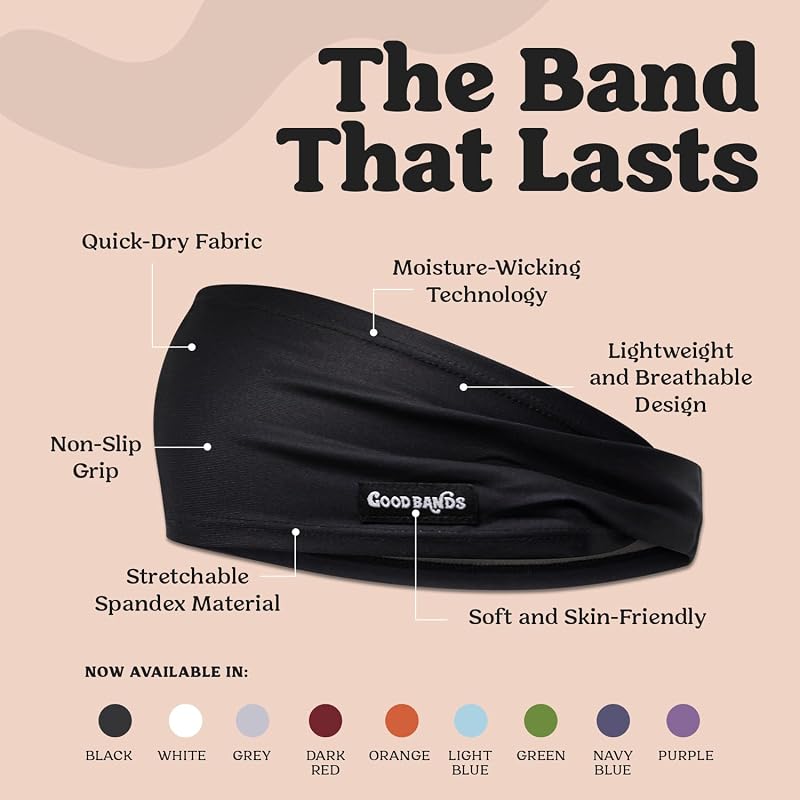
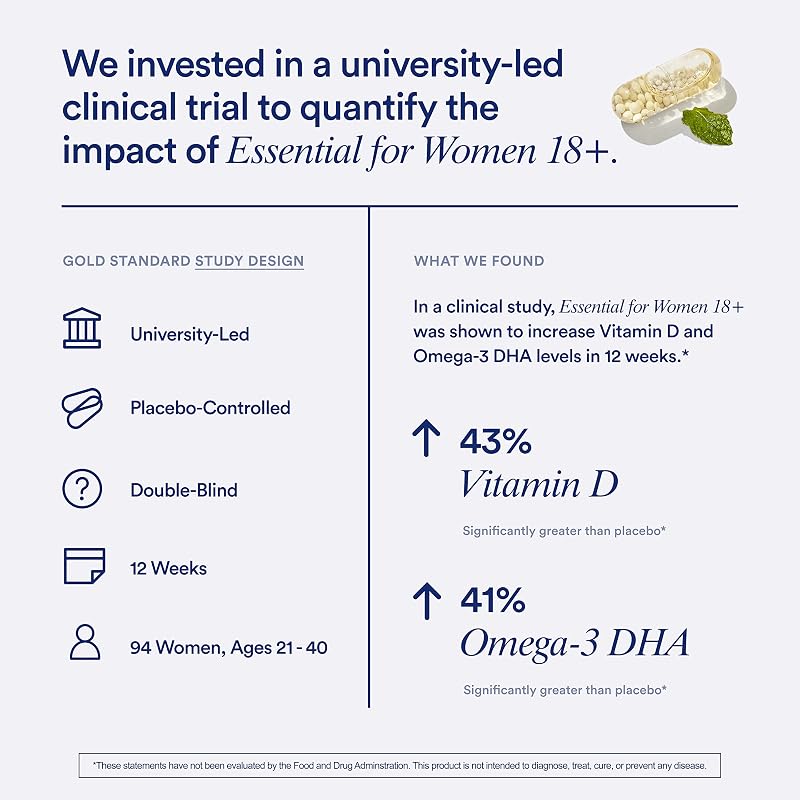
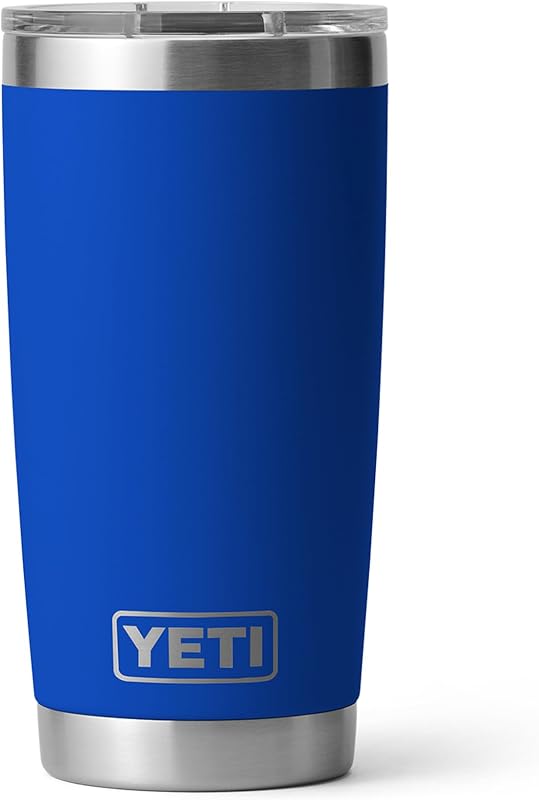
Real examples of what launch-ready looks like:

Seed reviews before you need them
Your rating count prints on every ad card. A shopper choosing between two sponsored products clicks the one with 4,000 ratings over the one with 40, so low social proof costs you click-through, conversion, ad rank and a higher effective cost per click until reviews catch up. The fix is to start accumulating before launch day.
Amazon Vine is the only compliant way to get early reviews quickly. A Brand Registry product with fewer than 30 reviews can enroll up to 30 units per parent ASIN. Enrollment is free for up to 2 units, $75 for 3 to 10 and $200 for 11 to 30, and the fee is only charged once the first Vine review posts; if none appears within 90 days you pay nothing. Combine it with the Request a Review button on every order and a product insert that asks for honest feedback without offering anything for it. Incentivized reviews, review swaps and "five stars for a gift card" inserts end accounts.
Across all ten categories in the Page One Study, the median page-one product scored 4.55 to 4.7 stars. Rating is a threshold you clear, not an edge you build. At 4.6, a 4.3 product does not look slightly worse than the shelf; it looks like the worst thing on it. If your first Vine reviews come back under 4.3, fix the product, or the expectations the listing sets, before you spend on ads.
Day-one readiness checklist
- Title, bullets and backend terms carry every keyword you will advertise
- Seven or more images, including an infographic, a lifestyle shot and a trust asset, plus video
- A+ Content and Brand Story live, Brand Registry approved
- Vine enrolled as soon as inventory checks in, so the first reviews land with the first ads
- Inventory for 60 to 90 days at the daily-sales target, received at FBA, not in transit
- Price at or just under the page-one median, with a 10 to 20 percent launch coupon ready
- Launch campaigns built and paused, negatives loaded, daily budgets capped
Phase 3: Launch and win rank on a focused keyword set (weeks 1 to 8)
Amazon's ranking algorithm rewards sales velocity on specific search terms. A launch concentrates a capped daily budget on a small set of high-intent keywords, so every order you buy counts toward rank on the terms you actually want. Spraying budget across 200 keywords buys sales but not rank.
The structure we run, detailed in our Amazon PPC strategy for new brands: Sponsored Products exact match on 10 to 20 high-intent terms, live on day one and carrying roughly 40 to 50 percent of budget; an auto campaign for discovery at about 20 percent; broad or phrase match as a research bridge at 15 to 20 percent, with converting terms moved to exact every week; Sponsored Brands added in weeks 4 to 8 once reviews exist; Sponsored Display in months 2 to 3 for retargeting. One keyword theme per ad group.
| Daily budget | Clicks a day (at about $1.13 CPC) | Orders a day (10% conversion) | Monthly ad spend |
|---|---|---|---|
| $50 | About 44 | 4 to 5 | About $1,500 |
| $75 | About 66 | 6 to 7 | About $2,250 |
| $100 | About 88 | 8 to 9 | About $3,000 |
| $150 | About 133 | 13 to 14 | About $4,500 |
The $1.13 figure is the 2026 Sponsored Products average across categories; typical clicks run $0.85 to $1.30, and your own search term report is the only number that matters. Expect hero-keyword ACoS of 50 to 100 percent on purpose in the first six to eight weeks. You are buying rank, not profit. The account-level ACoS average of roughly 34 percent is a target for month four, not week two.
The launch coupon
A 10 to 20 percent coupon lifts conversion on cold traffic without resetting the price shoppers expect, and because coupon orders are ordinary orders at checkout they count toward rank on the search term like any other sale. Since June 2025 a coupon costs a flat $5 when you create it, plus 2.5 percent of coupon-attributed sales (the old $0.60 per redemption is gone), so run one coupon per launch ASIN rather than several small ones. If the ASIN is new to FBA, the expanded FBA New Selection program (July 30, 2026) credits $50 of coupon fees and $75 of Vine fees in the first 60 days, caps the referral fee at 10 percent on the first 100 units and 5 percent on the next 100, and waives storage, return and liquidation fees on the first 200 units for 120 days. Terms change; confirm them in Seller Central before you count on them.
Sellers widely report that new ASINs get a period of elevated visibility in roughly their first month to six weeks, while Amazon gathers conversion data on them. It is seller observation, not an Amazon program, and nobody outside Amazon can measure its exact length. Plan as if it exists: inventory deep, listing finished, campaigns live and coupon running from hour one, so the data Amazon collects on your product is good data. Plan your budget as if it does not.
What a real launch curve looks like
Three things in that curve are typical. The first full month was 20 times the launch month, because the launch month was a partial month of ads into a brand-new page. Months six and seven, November and December, went flat while Q4 ad auctions were at their most expensive; that is the moment most launches get cut, and holding budget through it is what set up the second leg. And organic share, not revenue, is what made the curve durable: by month fifteen roughly 60 percent of sales were organic at about 10 percent TACoS, and the listing converted at 22.7 percent against 0.29 percent in launch week. Read that case study.
Product Opportunity Explorer shows units sold across a niche; divide by the number of products holding page one and you have a rough daily rate for a page-one product. Set your week-8 target against it, then run the launch as a test: terms and ASINs that hit the number get more budget, terms that miss it for three straight weeks get cut. The target is what keeps a launch honest when the ACoS looks ugly, which it will.
We run launches like this every month, for clients and for our own brands.
Growth management is 10% of monthly Amazon revenue with a $2,500 minimum, month to month, launches included, sized for brands under $50K a month, pre-launch brands at $0 included.
Plan your launch with us → or see management pricing firstPhase 4: Optimize, taper, and hand off to organic (weeks 8 to 16)
Launch is the start of optimization, not the end of it. The weekly loop from week three onward: move converting search terms into exact match, add the junk to negatives, cut bids on terms that have taken 30 or more clicks without converting, and raise bids on terms where organic rank is moving. Judge it weekly, never daily; a single day's ACoS is noise on a new ASIN.
Test the listing while traffic is ramping. From week one, change one variable at a time: main image first, then title, then A+. Do it manually at first. Amazon's Manage Your Experiments needs Brand Registry and an ASIN with enough traffic to reach significance, so most new listings will not qualify for the first couple of months; our conversion guide covers how it works once you do. Each winning test lowers your cost per order and lifts organic rank at the same time, because conversion rate is an input to both.
- Organic rank on target terms improves week over week
- Organic share of orders passes 30 percent, then 50
- TACoS falls while total revenue grows
- Conversion rate holds as traffic broadens
- Reviews arrive at a low single-digit percent of orders without prompting
- Sales drop the day the budget drops
- TACoS flat or rising on flat revenue
- Impressions high, organic rank unchanged after 8 weeks
- Coupon off, conversion collapses
- Review velocity stalls under 20 reviews
Taper on evidence, not on a calendar. Cut a hero keyword's bid only after the ASIN has held its organic position on that term for two consecutive weeks, and cut in steps of 10 to 15 percent, watching rank for a week between steps. If rank slips, the position was not yet earned; restore the bid and keep buying.
A sustainable personal care brand came to us mid-launch with a 0.5 ROAS, TACoS over 100 percent and negative weekly margin: it was paying for every sale twice. The fix was discipline rather than a trick: concentrate spend on the terms that convert, fix conversion before buying more traffic, and taper on rank evidence instead of on the calendar. ROAS went to 2.0, TACoS to roughly 10 percent, and weekly margin turned positive.
The 90-day Amazon launch timeline
- Weeks -6 to -1Validate and build
Opportunity Explorer and Brand Analytics pulled, margin math done, trademark and Brand Registry filed, keywords mapped, images and A+ produced, inventory inbound. Vine enrolled the day stock checks in.
- Weeks 1 to 2Go live and collect data
Exact, auto and broad campaigns on, coupon on. Impressions prove indexing, clicks prove relevance, conversions prove the listing. Change nothing but obvious errors.
- Weeks 3 to 6Harvest and rank
Weekly search-term harvest into exact match, negatives added, first bid cuts on non-converters. The first Vine reviews post. Organic rank appears on the narrowest target terms.
- Weeks 4 to 8Widen the front
Sponsored Brands added once reviews exist, branded defense campaign live, first A/B test on the main image. Rank established on the core keyword set.
- Weeks 8 to 12Scale winners, start the taper
Budget to the terms hitting the daily-sales target, cuts to the ones that have missed it three weeks running. First hero-keyword bid reductions where organic rank has held for two weeks.
- Months 3 to 4Hand off
Blended profitability if the listing converts. Sponsored Display retargeting on. TACoS is now the gauge: falling quarter over quarter means the launch worked; flat means you are still renting.
How much does it cost to launch a product on Amazon?
Beyond inventory, a realistic 2026 launch budget has five lines. The ranges below are market ranges, not quotes, and the inventory line is yours alone.
| Line item | Typical range | Notes |
|---|---|---|
| Launch advertising | $1,500 to $3,000 a month for 3 to 4 months | $50 to $100 a day on a focused keyword set; more in competitive categories |
| Listing creative | A few hundred to a few thousand dollars | Image stack, A+ Content, video; the one launch cost that keeps paying afterward |
| Vine | $0 to $200 per parent ASIN | Charged only after the first Vine review posts |
| Coupon fees | $5 per coupon plus 2.5% of coupon sales | Run one coupon per launch ASIN |
| Brand Registry | A few hundred dollars per trademark class | USPTO filing fee, plus an attorney if you use one; file months ahead or use Amazon IP Accelerator |
The advertising line is the one people underestimate, because the launch phase runs at a deliberate loss on the hero keywords. Treat it as a fixed launch cost with a rank target, not as a faucet you turn down the week the ACoS looks bad. If you would rather have the whole thing run for you, launches are included in our Growth tier, and what an Amazon agency costs covers the market ranges.
How long does an Amazon product launch take?
Expect 4 to 8 weeks to establish organic rank on a focused keyword set and three to four months to reach blended profitability, depending on how high your category's review wall is and how fast reviews arrive. A category with a 2,000-rating page-one median moves faster than one with a 20,000-rating median, by roughly that multiple. Launches almost never move in a straight line; the real curve above flattened for two months in Q4 before its second leg. The daily-sales target is what tells you whether a flat month is a pause or a verdict.
Write the daily-sales target before you spend, judge the launch on TACoS, and taper on rank evidence. Everything else in this guide is detail. If you want a second pair of eyes on the plan before the inventory ships, the audit is free.
Frequently asked questions
How do you launch a new product on Amazon?
In four phases. Validate demand with Product Opportunity Explorer, Brand Analytics and margin math; prepare a keyword-mapped, conversion-ready listing with Vine reviews seeded before launch; launch with a capped Sponsored Products budget on 10 to 20 high-intent exact-match keywords plus a launch coupon to win rank fast; then optimize weekly, A/B test the listing, and taper spend as organic sales take over.
How much does it cost to launch a product on Amazon?
Beyond inventory, budget $1,500 to $3,000 a month in launch advertising for three to four months, plus listing creative, $0 to $200 per parent ASIN for Vine, and coupon fees of $5 per coupon plus 2.5 percent of coupon sales. Spend peaks in the launch window and tapers as organic rank takes over.
How long does an Amazon product launch take?
Typically 4 to 8 weeks to establish organic rank on a focused keyword set and three to four months to reach blended profitability, depending on how high the review wall is in your category and how quickly reviews arrive.
What is the Amazon honeymoon period?
A widely reported window of elevated visibility for new ASINs in roughly their first 30 to 45 days, while Amazon gathers conversion data on them. It is seller observation, not an Amazon program. Treat it as a reason to launch with a finished listing, deep inventory and campaigns live on day one, not as a budget assumption.
How many reviews do you need to launch on Amazon?
You can launch with zero, but click-through, conversion and ad efficiency improve noticeably once a listing shows 10 to 20 reviews, so seed them with Vine before the first ad runs. In our Page One Study the median page-one product carried 2,688 to 27,411 ratings depending on category and scored 4.55 to 4.7 stars. At launch the star threshold matters more than the count.
Should you use Amazon Vine for a product launch?
Yes, for almost every branded launch. Vine is the only compliant way to get early reviews quickly: a Brand Registry product with fewer than 30 reviews can enroll up to 30 units per parent ASIN, enrollment costs $0, $75 or $200 depending on units, and the fee is only charged after the first Vine review posts. Enroll as soon as inventory checks in so reviews land with the first ads.
What is a good PPC budget for an Amazon launch?
Most new products can launch on $50 to $100 a day, about $1,500 to $3,000 a month, concentrated on 10 to 20 exact-match keywords plus an auto campaign. At the 2026 average Sponsored Products click of roughly $1.13 and a 10 percent conversion rate, $75 a day buys about 66 clicks and 6 to 7 orders. Expect hero-keyword ACoS of 50 to 100 percent on purpose for the first six to eight weeks.
How do you decide which product to launch on Amazon?
Use Amazon's own data. Product Opportunity Explorer shows niche search volume, growth and units sold; competitor one- to three-star reviews reveal unmet needs; and your own search term report shows demand you rank for but do not serve. Then confirm the margin survives a launch-phase ad cost of 30 to 50 percent of sales, and that newcomers are actually breaking onto page one in the category.
Can you launch a product on Amazon without ads?
Rarely, and not in a competitive category. Half of page one is sponsored and the organic half is held by products with years of reviews, so a new ASIN has no organic visibility to start from. Ads buy the first weeks of sales that create rank; a launch without them depends on external traffic or an existing audience.
Ready to get to the top shelf?
A 30-minute call and a free account audit, we’ll tell you exactly what we’d do, no strings.
Plan your launch with us →